3 days free, no card needed
The VPN you never have to turn off
Your bank, Gosuslugi and marketplaces work as if there were no VPN. YouTube, ChatGPT and social media open through the VPN. You don't switch anything.
Then 199 ₽ a month. We never charge you automatically.
Tap where you want to go:
- Already 13,600+ users with us
- Russian sites go direct
- Foreign sites go through the VPN
- 21 servers in 13 countries
What changes when the VPN can stay on
The same screen: a regular VPN on the left, SafeMoney on the right. Drag the line to compare.
Bank
Your bank works as usual
The banking app doesn't notice the VPN. Your card isn't blocked and there's nothing to confirm.
Forget about the switch
Gosuslugi and marketplaces open with the VPN on. Turn it on once and just use it.
Russian sites stay fast
They load at your normal home speed, as if the VPN were off.
Connect in three steps
Pick your device and we'll show you what to do.
Stuck? Write to us and we'll help you connect. All guides are in the help center.
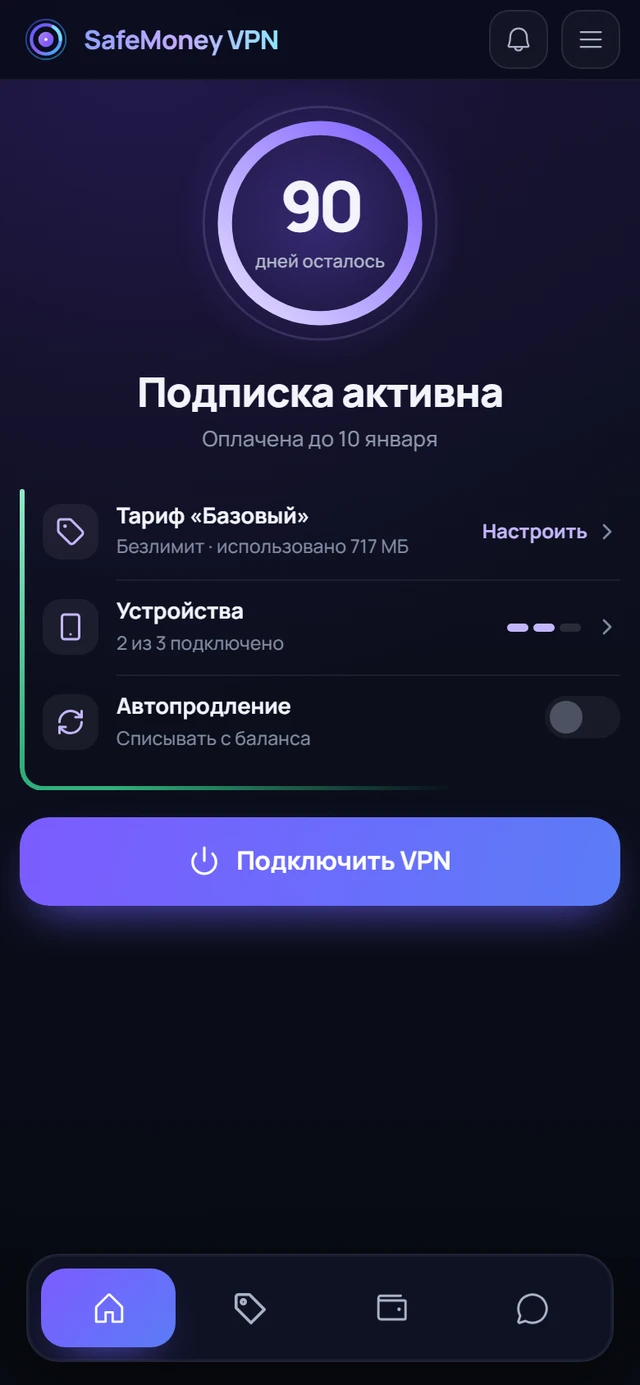
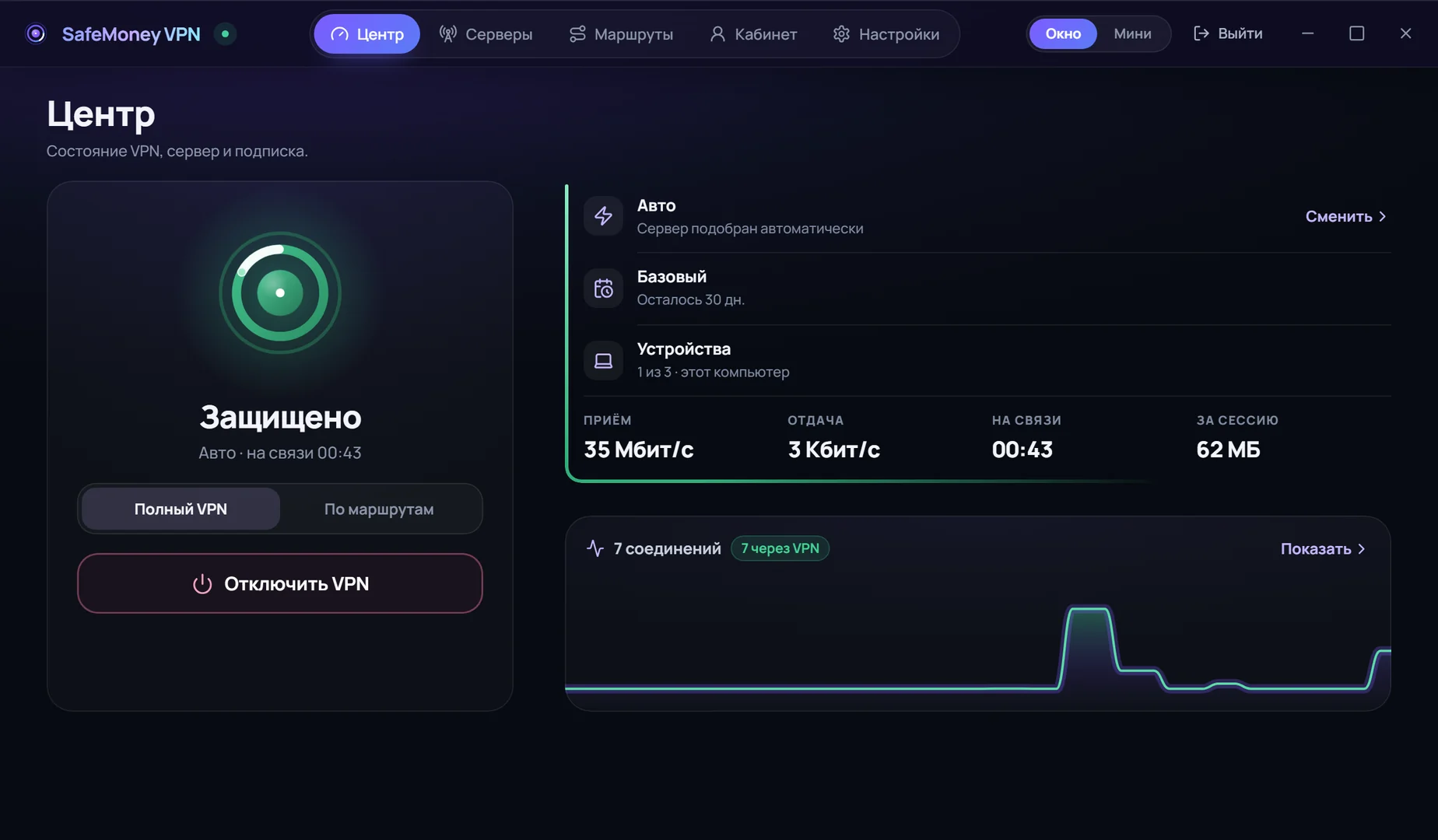
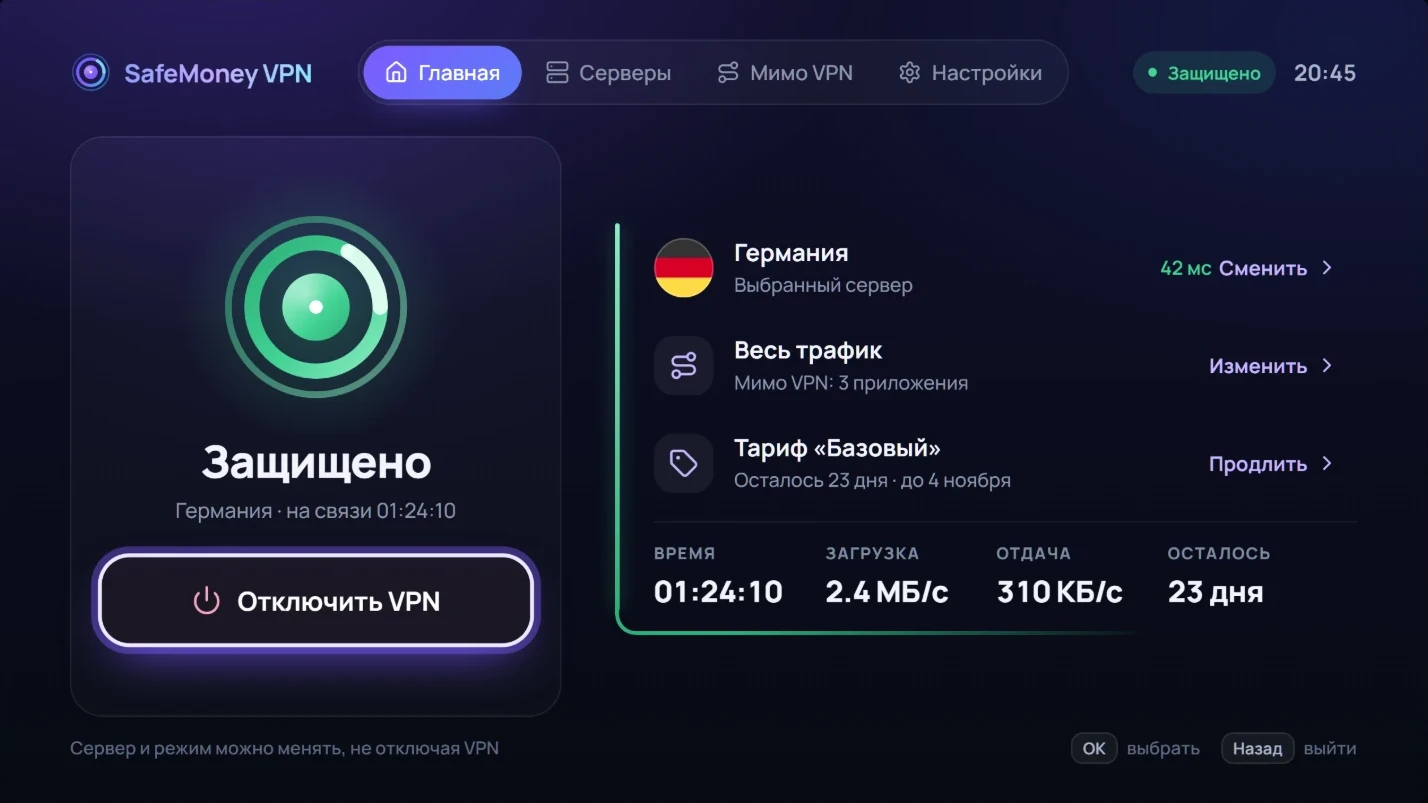
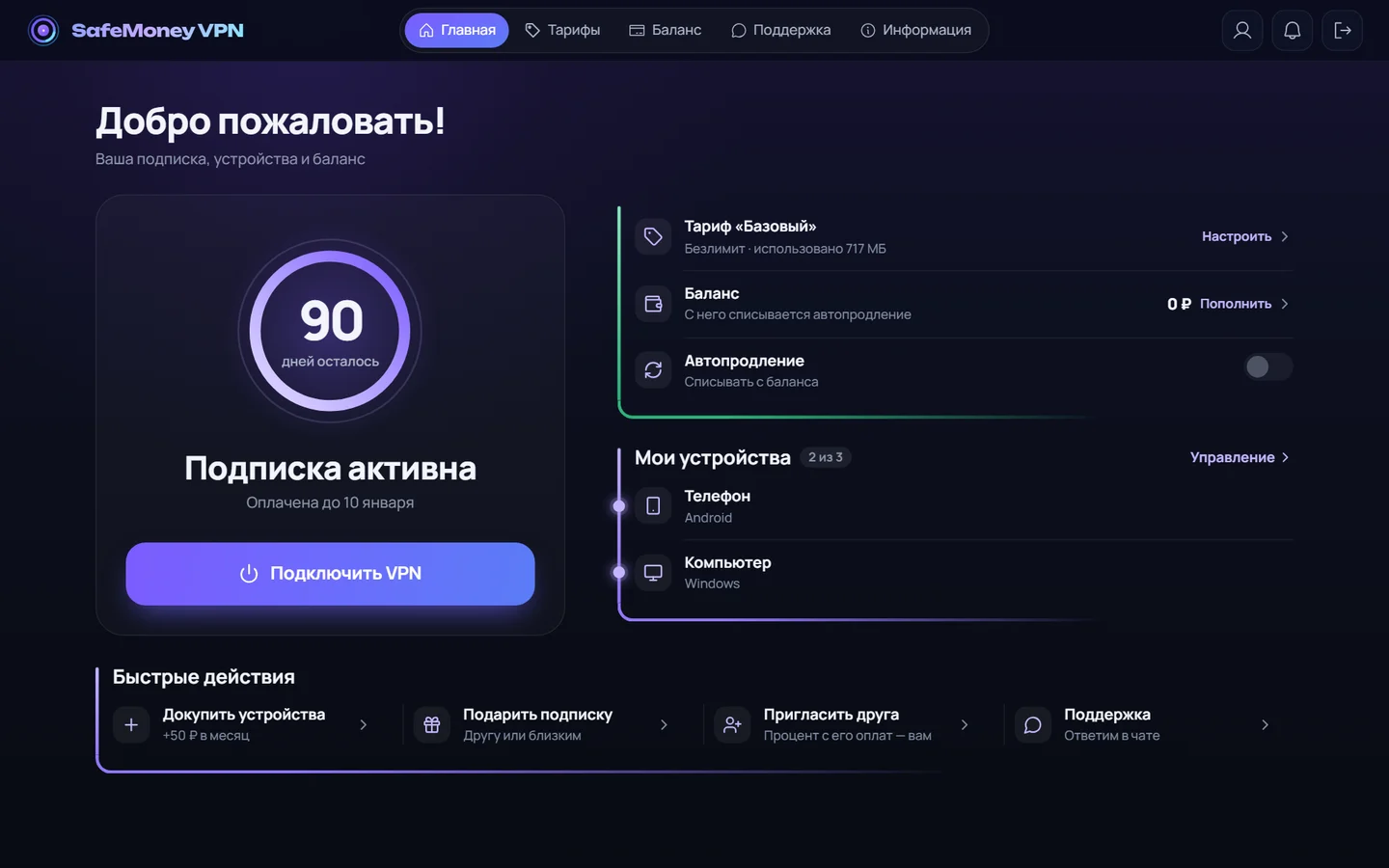
Everything about your account in one place
- Subscription term and usage always in sight.
- Devices: add or remove in one tap.
- QR code: connect a TV or a second phone in seconds.
- Renewal, payment and support right there, no chat threads.
On a computer the dashboard is built into the app: connection, subscription, devices and renewal in one window.
- DEGermanygames
- NLNetherlands
- FIFinlandgames
- SESweden
- FRFrance
- GBUnited Kingdom
- PLPoland
- TRTurkey
- USUSA
- JPJapan
- KZKazakhstan
- CHSwitzerland
- RURussia
You don't have to pick a country
- Auto connects you to the fastest server.
- Got slow? The app switches by itself.
- Need a specific country? There are 13 to choose from.
- For gaming there are dedicated servers in Germany and Finland.
What happens to your data
Everything is encrypted
What goes through the VPN can't be read on the way from you to the site.
No browsing logs
We don't record which sites and apps you open.
Safe on public Wi-Fi
In a café, hotel or airport your connection is protected, even on a shared network.
This is how sites see you now
your real address
and your internet provider
Not protected
With SafeMoney, foreign sites will see
our server's address
for example, in the Netherlands
Protected
Your bank and Gosuslugi still see your usual address, so they don't block the sign-in.
Pricing
Plans differ only in the number of devices. Tell us how many you have and the price updates. Up to 20.
For how long?The longer the term, the cheaper the month
Basic
up to 3 devices
- For example: a phone, a computer and a tablet
Extended
up to 7 devices
- For a family: phones, computers, a TV
Premium
up to 10 devices, router included
- VPN on a router: works on everything connected to your home Wi-Fi
You don't pay now. The first 3 days are free, then you pick a plan in the dashboard yourself. If you don't, the VPN simply turns off.
How we compare
yes not always no
 SafeMoney VPN SafeMoney VPN | Proton VPNa large international service | VPN bot in Telegrama small service inside the messenger | Free VPNan app or a browser extension | Keys from resellersbloggers, marketplaces | |
|---|---|---|---|---|---|
| Price per month | 199 ₽for 3 devices | ≈ 700 ₽ | 150-300 ₽ | 0 ₽ | varies |
| No data cap | on all paid plans | unlimited | often capped | strict cap | depends on the seller |
| Simple and in Russian | app and checkout in Russian | English interface | simple, but set up by hand | simple | depends on the seller |
| Dashboard | usage, devices, renewal | yes | no | no | limited |
| No ads or trackers | no ads, no trackers | no ads | sometimes | often | sometimes |
| Privacy | no browsing logs | years of reputation | mixed | low | mixed |
| Support | right on the site, no VPN | limited | only in Telegram | no | via the seller |
| Total “yes” | 6 of 6 | 4 of 6 | 0 of 6 | 1 of 6 | 0 of 6 |
Frequently asked questions
I'm not tech-savvy. Can I still set it up?
Yes. On your phone, press “Connect on your phone” and enter your email. On Android you'll install our app from Google Play, on iPhone the free RabbitHole or INCY app (depending on your App Store), and the settings are added to it automatically. On a computer, download the SafeMoney app for Windows and press one button. Nothing to configure: the server is picked for you.
What's included in the 3 free days?
All countries and up to 3 devices. You get 20 GB for those days, enough for several evenings of video. No card needed. After 3 days the VPN simply turns off until you choose a plan yourself. We don't charge anything.
Will my bank and Gosuslugi really work?
Yes, and this is the main difference of SafeMoney VPN. Russian sites open directly, as without a VPN: banks, Gosuslugi, marketplaces and streaming services see a normal Russian connection. Only what actually needs a foreign server goes through it, so there's nothing to switch on and off by hand.
How much does a subscription cost?
Three plans: Basic is 199 ₽ a month for 3 devices, Extended is 379 ₽ for 7 devices, Premium is 499 ₽ for 10 devices and a router. There are no data caps on paid plans. The longer the term, the cheaper the month: a year of Basic costs 1,699 ₽, about 142 ₽ a month. If you just want a look, there's a week for 99 ₽. You're billed in rubles.
Can you see which sites I open?
No. We don't record which sites you open and don't store any content. We keep only what the subscription can't work without: your email, the term and the number of devices. Your internet provider only sees that the connection is encrypted.
Can I get a refund?
Yes. If you didn't like it, we refund in full within the first 24 hours after payment: just write to support. Other terms are in the refund policy (in Russian).
What if it won't connect or is slow?
First check the Server status page: if the problem is on our side, you'll see it right away. Then refresh the subscription in the app and try another country. Make sure your subscription is active in the dashboard. Still stuck? Write to us in the Help section below, no Telegram needed.
What payment methods are available?
Bank cards, SBP and cryptocurrency. You can pay from the dashboard or in the bot. We never receive or store your card details: payment happens entirely on the payment provider's side.
How many devices can I connect?
It depends on the plan: 3 on Basic, 7 on Extended and 10 on Premium. You can add more in the dashboard, 40 to 50 ₽ per device, up to 20 in total. All connected devices are visible in one dashboard.
Which devices does it work on?
Windows computers and Android phones: our SafeMoney VPN app. iPhone and iPad: the free RabbitHole app with a Russian App Store account or INCY with an App Store account from another country. Mac: the free INCY app. Android TV: our SafeMoney VPN app from Google Play, Apple TV: INCY or Happ. For Linux there is a separate guide. A router is included in Premium and can be added to other plans of a month or longer. Ready-made settings are issued in the dashboard. One subscription covers all your devices.
What can the computer app do?
It's not just a VPN, it's the dashboard in the same window: one-button connection, country choice, subscription, devices, renewal and payment. No need to open the site. You sign in with a code from your email, no password.
Which countries are there?
13 countries: Germany, the Netherlands, Finland, Sweden, Switzerland, France, the UK, Poland, Turkey, the USA, Japan, Kazakhstan and Russia. There are dedicated gaming and backup servers. What's working right now is shown on the Server status page.
What are the gaming servers?
Separate servers tuned for games: latency stays steadier and the connection drops less often. They're available in Germany, Finland and Poland and are picked like any other country.
Which country should I choose?
If you'd rather not bother, leave Auto on: it picks the fastest server. For games, use the gaming servers. If you need sites to see you in Russia, choose Russia. You can switch countries as often as you like.
How do I renew my subscription?
In the dashboard, open your subscription and press Renew. Access extends right after payment, no need to set up your devices again. To stop watching the date, turn on auto-renewal.
How do I contact support if Telegram won't open?
Right here on the site: in the Help section press “Contact support”, describe the problem and leave your email. The site opens without a VPN, so your message gets through even when the VPN and Telegram are unavailable. The reply comes by email.
Are there bonuses for inviting friends?
Yes. The regular program pays 25% of the payments of people who come through your link, the partner program up to 50%. The link and stats are in the dashboard.
Will it work on a TV?
Yes. On Android TV our SafeMoney VPN app from Google Play works: you sign in from your phone by QR code. On Apple TV the subscription is sent from your phone via INCY or Happ. For Samsung and LG TVs, use VPN on a router or an Android TV box.
Help
Picture guides for every device. If you can't find an answer, write to us.
How to connect
If something's wrong
No answer?
Write to us and we'll reply by email. This page opens without a VPN too.
Contact supportOr in our Telegram bot.